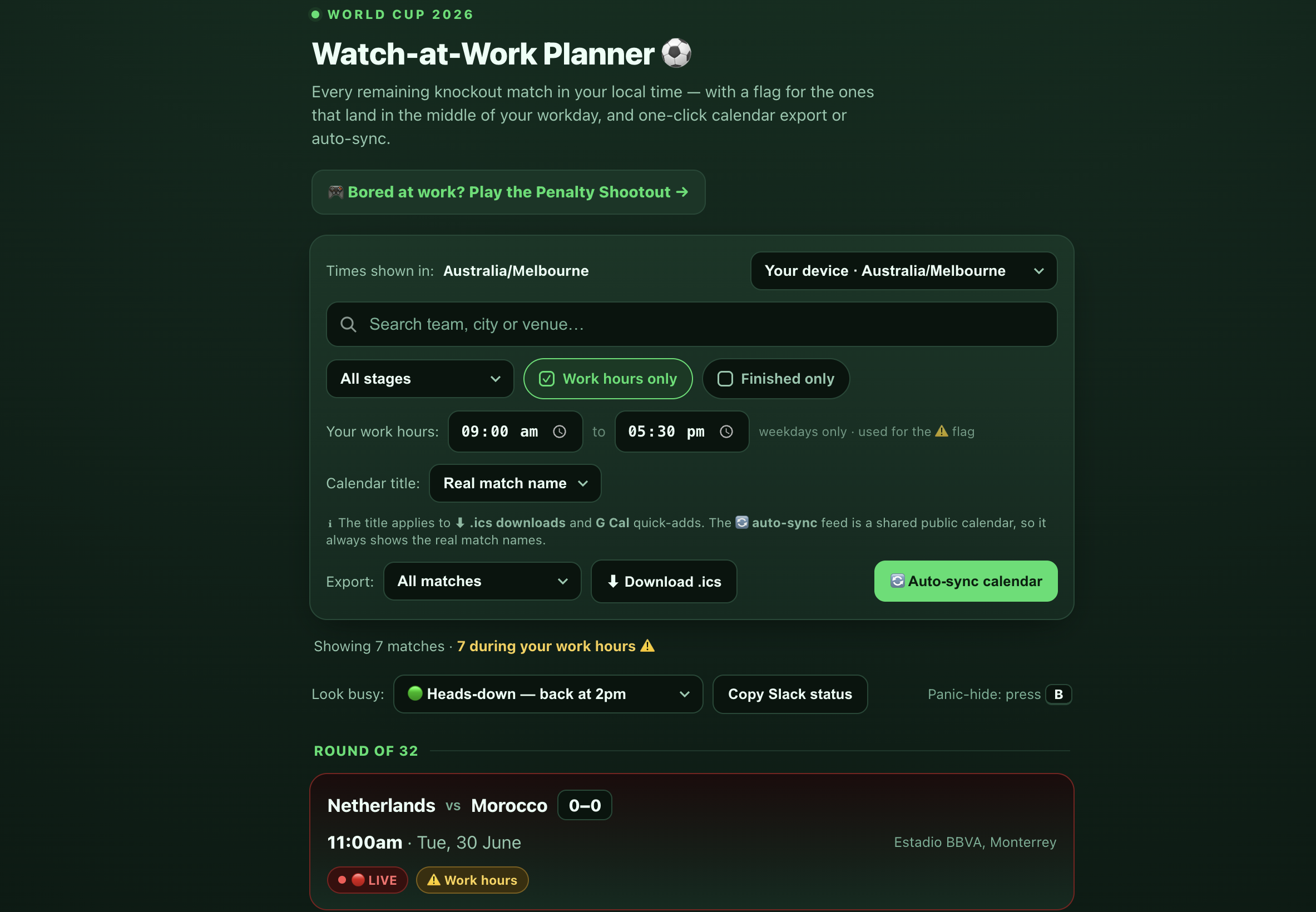
The World Cup 2026 knockout rounds are locked in, and if you're in Australia, there's a catch: because Melbourne runs ~14 hours ahead of US Eastern, most of the matches kick off in the middle of your workday.
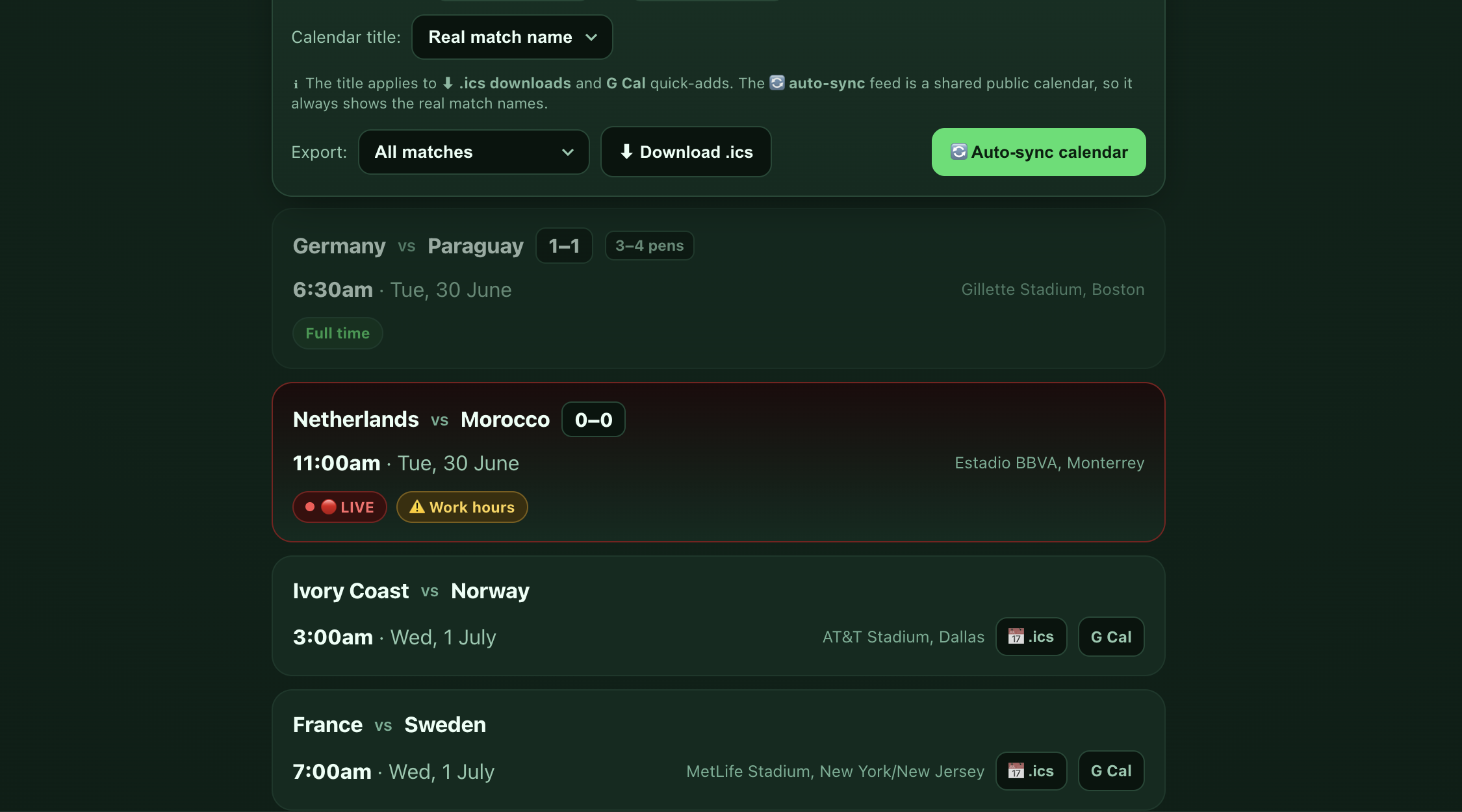
So over a weekend we built a small, free tool to deal with it. It shows every remaining match in your timezone, flags the ones that land during work hours, and adds them to your calendar in one tap.
👉 Try it here: fusionkong-worldcup.web.app (free, no sign-up, not affiliated with FIFA)
It's a fun little thing. But it's also a deliberate demonstration: every feature in it is the same kind of automation we build into real businesses at FusionKong. Here's the tour - and the business version of each.
What It Does (And the Business Equivalent)
1. It knows your timezone - automatically
Open the page and it instantly shows kickoff times in your local time, no dropdowns required. There's a manual override for 25+ cities if you want it.
The business version: timezone-aware scheduling is one of the quiet sources of error in any team that works across borders - booking calls, coordinating suppliers, sending reminders. We automate it so your systems always speak the right local time to the right person.
2. It flags the matches that clash with work
Any match falling on a weekday inside your work hours gets a visible warning. You can set your own hours (default 9:00–5:30).
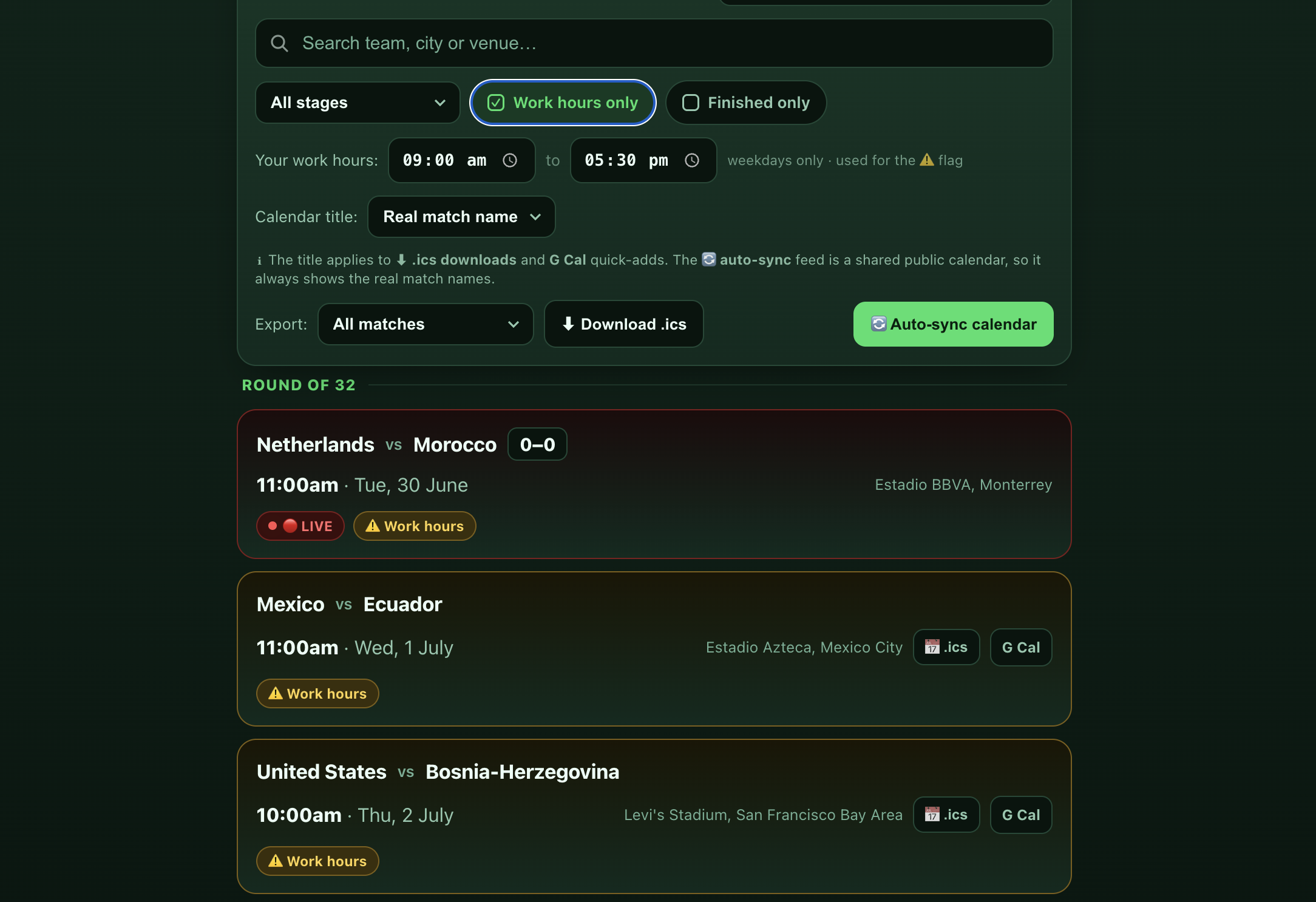
The business version: "tell me when X overlaps with Y" is the heart of most operational alerting - shifts vs. availability, deliveries vs. opening hours, deadlines vs. capacity.
3. One-tap calendar - your way
Add a single match or subscribe to a live, self-updating feed. You can even pick a discreet event title - "Focus block", "Client sync", "Dentist" - so your calendar stays… professional.
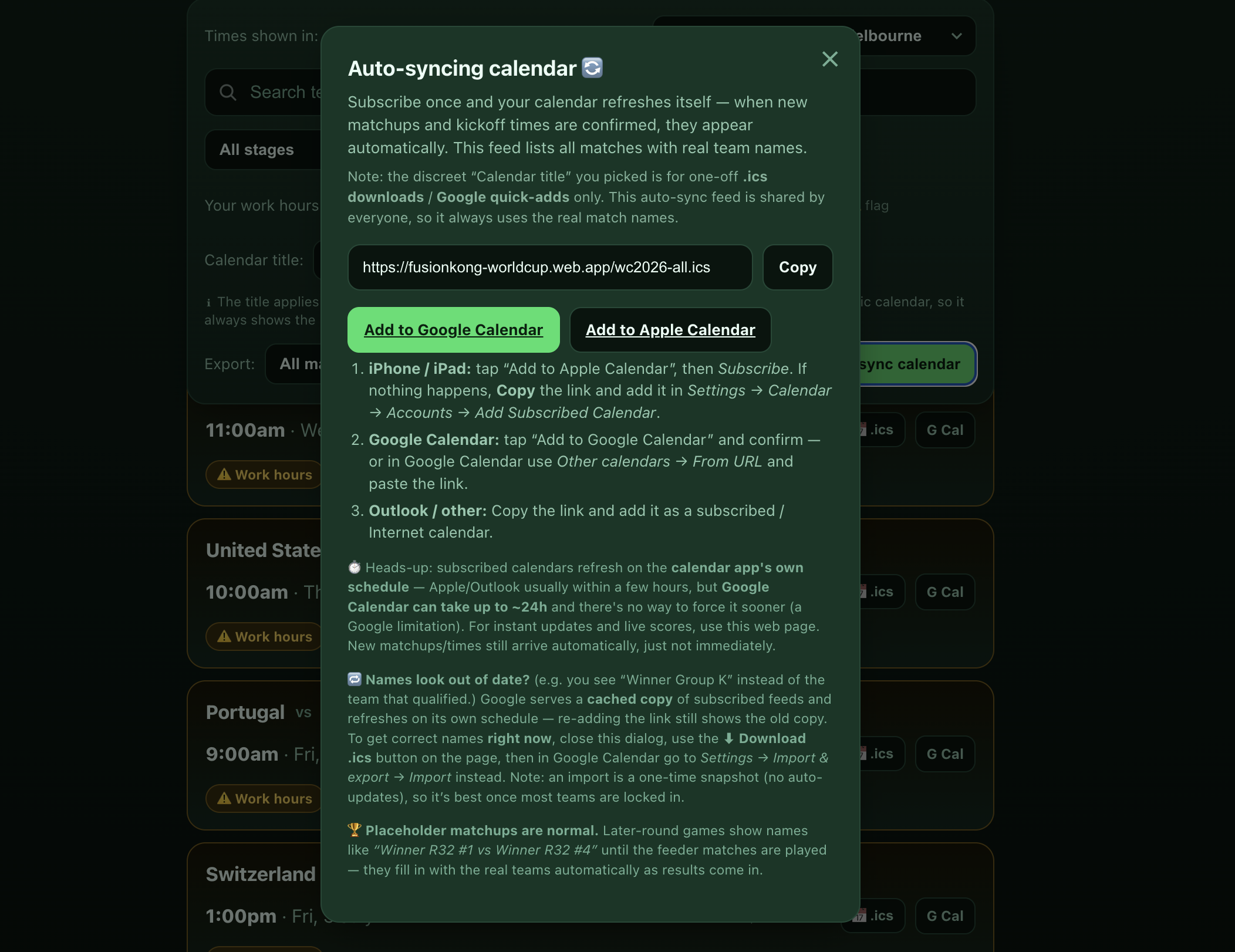
The business version: one-click "turn this into a calendar event / task / invoice / reminder" is the kind of friction-remover that saves a team hours a week. The calendar files here are generated right in your browser - nothing is sent to a server - which is exactly the privacy-first approach we take with client data.
4. It updates itself - live scores, results, even penalties
Scores tick over live while a match is on, finished games show the result, and a knockout decided on penalties shows the shootout score too (e.g. 1–1, 4–3 pens). You don't refresh anything; it just stays current.
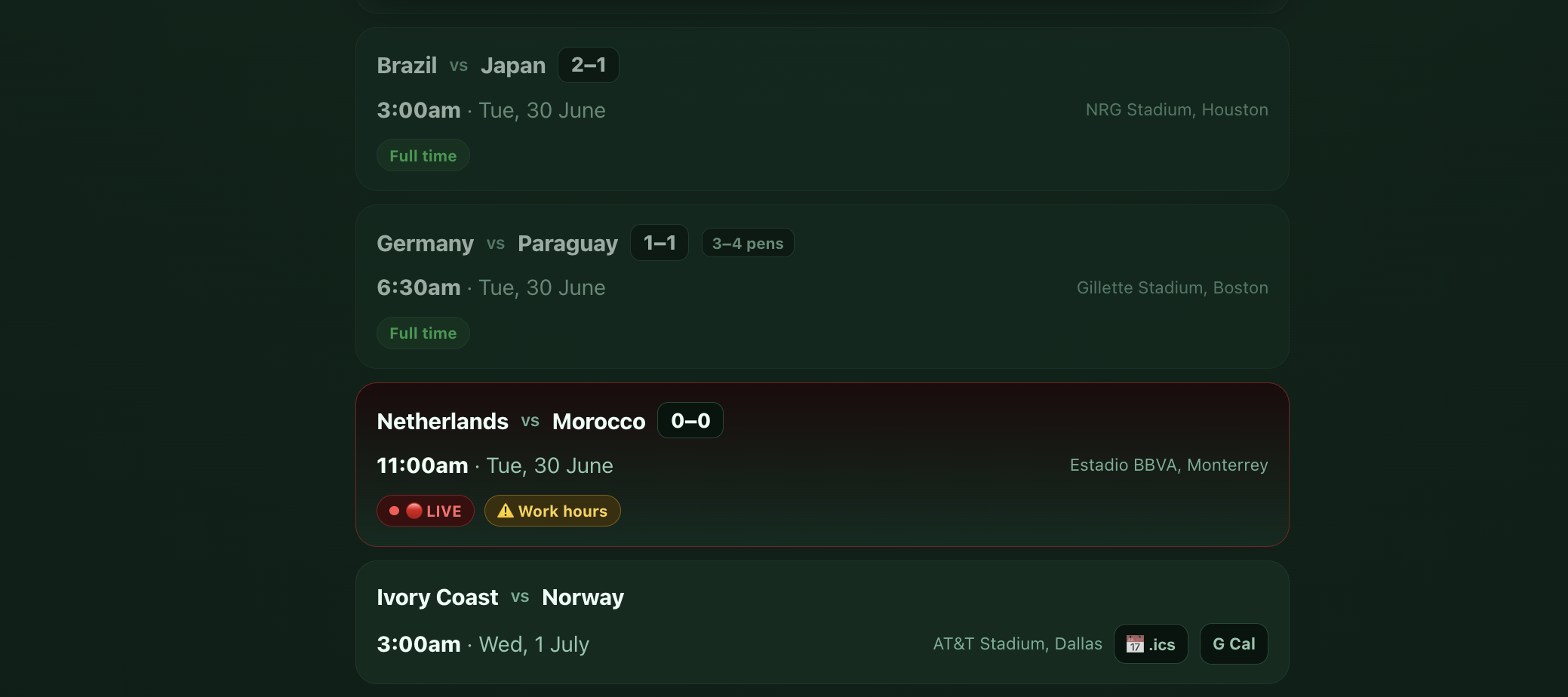
The business version: this is a self-maintaining data pipeline pulling from a third-party source and keeping your own systems in sync - the same pattern behind live inventory, pricing, booking availability, or any "single source of truth that updates itself."
5. And yes - a Boss Key 😏
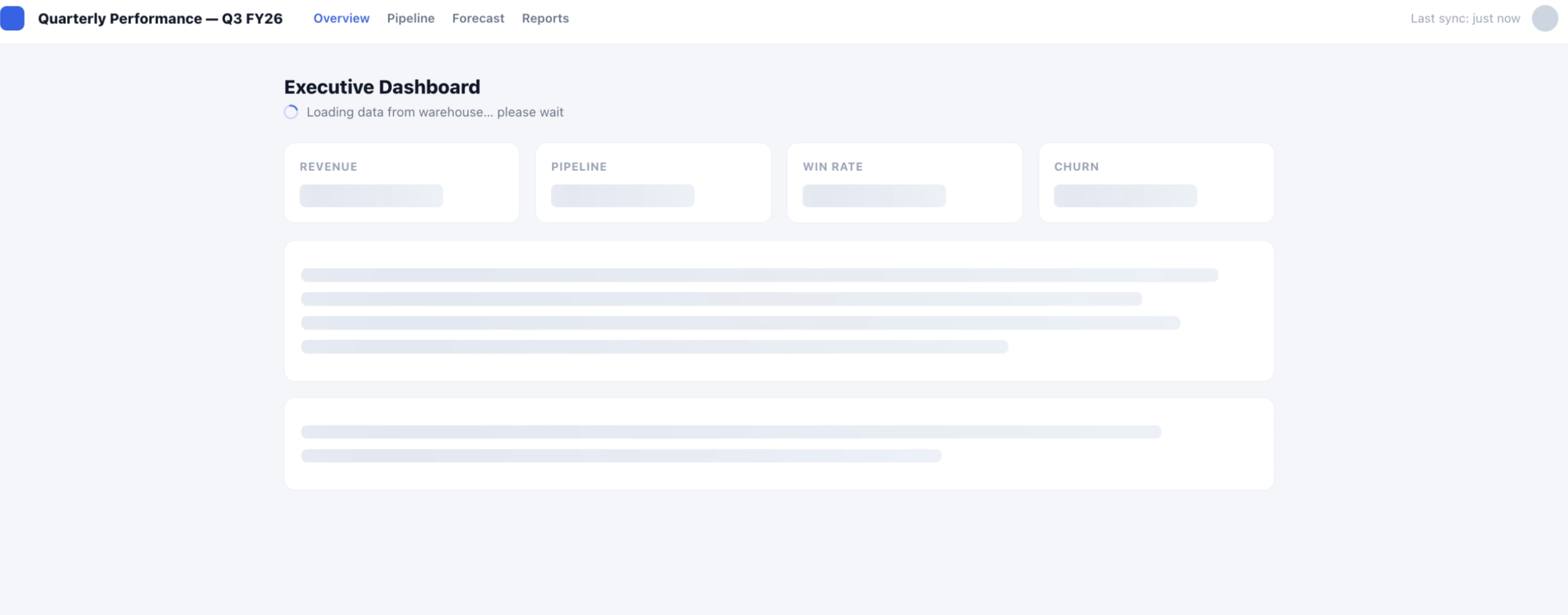
Press B and the page instantly swaps to a convincing (boring) "Q3 dashboard". Press it again to switch back. Pure fun - but also a tiny lesson in how much you can do with zero infrastructure.
How It's Built (The Honest, Non-Hype Version)
No framework, no database for the core tool, no servers to babysit. The whole thing is designed to be cheap, fast, and basically unbreakable - which is exactly how good small-business automation should feel.
Tech at a glance:
- Front end: a single static page - plain HTML, CSS, and vanilla JavaScript. No build step.
- Timezones: the browser's own
IntlAPI converts every kickoff from UTC to the viewer's local time, client-side. - Calendar files: the
.ics(iCalendar) events are generated locally in your browser; the live subscription is a hosted.icsfeed that calendar apps refresh on their own. - Live data pipeline: a scheduled job runs every few hours, pulls fixtures and scores from a public sports API, matches each event to the right slot by venue and kick-off time, and regenerates the data + calendar feed automatically - then redeploys itself.
- In-browser updates: while you're watching, the page quietly polls for live scores so it moves as the match does.
- Hosting: a global CDN (Firebase Hosting). Static files mean near-zero running cost and nothing to fall over.
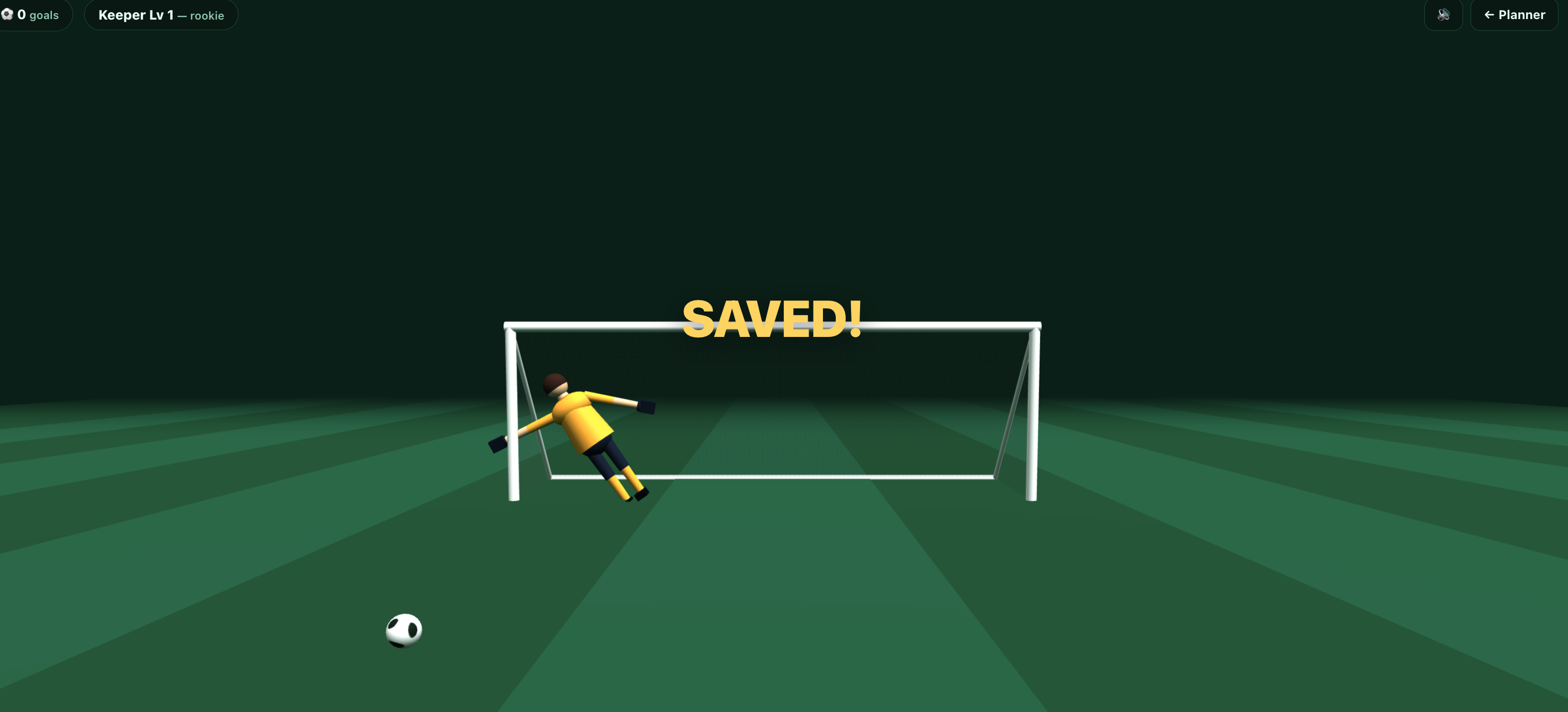
- Bonus: there's a 3D penalty mini-game with a global leaderboard, if you're procrastinating. (We won't tell.)
The point isn't the football. The point is that a timezone-aware, self-updating, one-click-to-calendar tool with live data took a weekend - because the building blocks are well understood and we use them every day.
What This Means for Your Business
Most small businesses are quietly losing hours to the exact problems this toy solves:
- juggling times across locations,
- copying data between systems by hand,
- "remembering" to update a spreadsheet, a calendar, a customer,
- and reacting to information after it's already gone stale.
That's what we do at FusionKong - a Melbourne automation studio for Australian SMEs. We find the repetitive, error-prone plumbing in your day-to-day and quietly automate it away, with the same care for cost, reliability, and privacy you can see in this little calendar.
If a "wouldn't it be nice if this just happened automatically" moment came to mind while reading this - that's exactly the conversation we love to have.
Spotted a 'wouldn't it be nice if this just happened automatically' moment? Let's talk.
Book free audit🔗 Play with the tool: fusionkong-worldcup.web.app
Fan-made and non-commercial. Not affiliated with, or endorsed by, FIFA. "World Cup" is used descriptively.